The first pickup filter meant opening Settings and ticking kinds one by one. This one is set right where you stand over the loot: simpler, and you see the effect on screen at once.
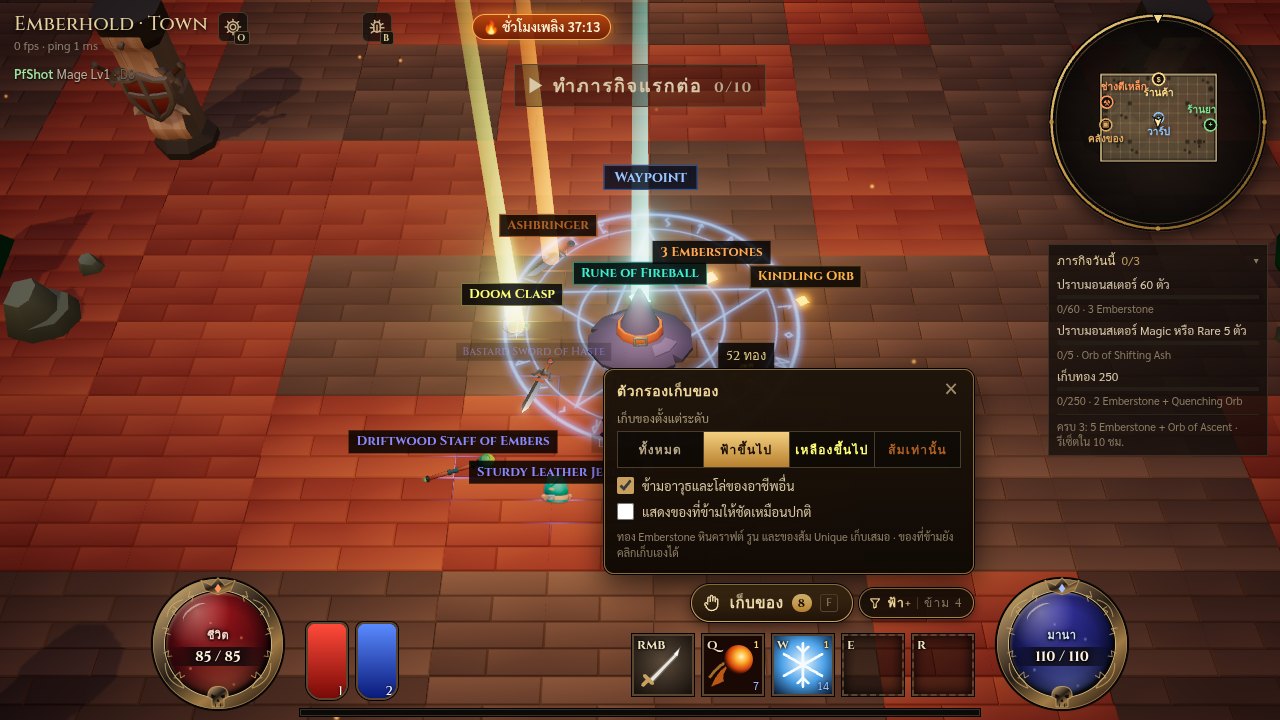
Set it on the Pick up button
Beside the “Pick up” button is a small filter button. Click or tap it and choose what to pick up from: All · Magic and up · Rare and up · Unique only, and tick “Skip other classes' weapons and shields” if you like. Settings (O) has the same choices. The filter is saved per character, on every device.
- Gold, Emberstones, crafting orbs, Skill Runes and Uniques (set pieces included) are always picked up, whatever you choose.
- Skipped drops keep a small, faint label, so the screen clears up and the good drops stand out, but you can still click any of them up.
- Want to see everything at full size? Hold Alt on a computer, or tick “Show skipped drops at full size” in the popover.
- The number on the Pick up button counts only what F will take, and the filter button shows how many drops it skips.
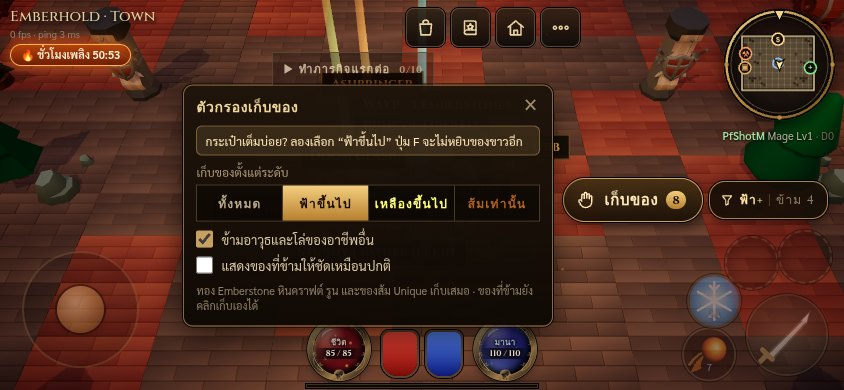
Bag filling up?
From level 8, the first time your bag fills up during a pickup the game opens the filter with a tip: pick “Magic and up” once and Pick up stops taking Normal items. If you had set the old filter, it is converted for you: nothing to set again.
Found a bug or want something added? Tell us with the 🐞 button in the game.